



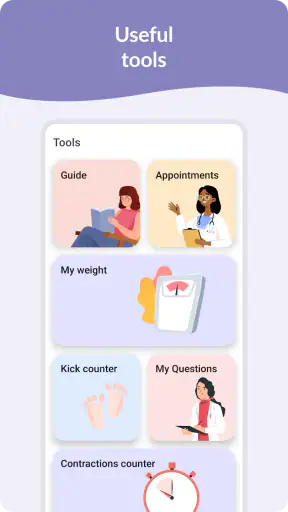
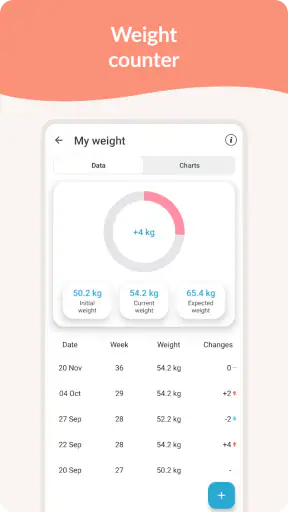
Pregnancy Tracker & Day by Day is the kind of pregnancy app I would suggest to someone who wants a calm place to follow the changing stages of pregnancy without turning every day into a research project. I found its appeal in the simple routine: open it, check the current day or week, read a relevant tip, and use one of the timing tools when the situation calls for it. It is made by Timskiy, belongs to the parenting category, and is free to start, with optional in-app purchases ranging from $2.49 to $16.99 per item.
That simplicity matters most for a first-time user. Pregnancy can bring a constant stream of questions, yet a tracker should not make those questions harder to organize. This app brings daily and weekly progress, a kicker counter, a contraction timer, and pregnancy tips into one focused experience. I would not treat it as a replacement for prenatal care, but I do see it as a practical companion for remembering where you are in the journey and choosing the right tool for a particular moment.
What the first visit feels like
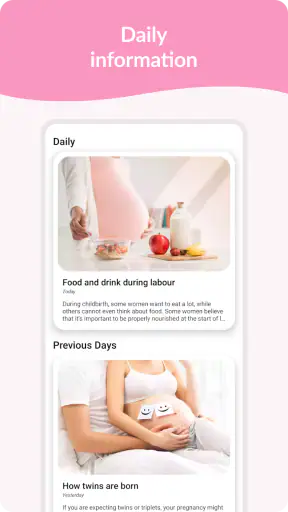
When I look at a pregnancy tracker, I want the opening experience to answer three things quickly: where I am now, what is worth noticing today, and what I can do next. Pregnancy Tracker & Day by Day is built around that kind of orientation rather than a crowded collection of unrelated health utilities. The daily and weekly views give the app its main rhythm, while the tips add context and the two counters become useful at specific points in pregnancy.
The app is suitable for Everyone, which makes its presentation approachable rather than intimidating. That does not mean every piece of information will feel equally relevant to every person. Early in pregnancy, the contraction timer may sit unused for a long time, while the daily view and tips are likely to be more helpful. Later, timing tools may become the reason you open the app, so the value shifts as your needs change.
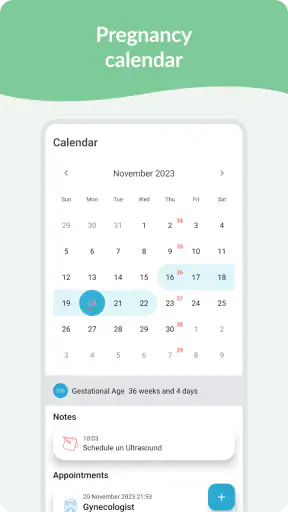
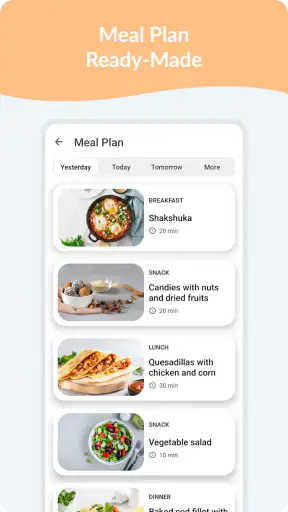
One useful way to think about it is as a small bedside reference rather than a complete medical record. I would use it to establish a daily check-in, keep an eye on the current stage, and have a familiar timer ready when movement tracking or contractions become part of the routine. If you expect detailed clinical charts, appointment management, medication reminders, or extensive symptom analysis, this is probably too narrow for you. Its strength is the focused pregnancy journey, not an attempt to cover every area of personal health.
The app has reached over a million installs and carries an average rating of 4.8 from around 77 thousand ratings. Those figures suggest that its straightforward approach works for many people, although popularity should not replace your own judgment. I would still spend a few minutes using the main screens before deciding whether the layout suits you, especially if you prefer highly customizable trackers.
What to prepare before setup
Before opening the app for the first time, I would decide what kind of information I actually want from it. Some people want a quick daily glance, while others want a tool they can open during a specific event. Knowing that in advance prevents the common mistake of expecting every feature to be equally important from the beginning.
If your immediate goal is simply following progress, start with the daily and weekly sections. If you are looking for a way to record fetal movement, keep the kicker counter in mind, but do not feel pressure to use it before it becomes part of your personal routine or your clinician’s guidance. The same applies to the contraction timer: it is a tool for timing events, not a diagnosis or a decision-maker.
I also recommend keeping your expectations realistic about tips. Short guidance can be useful for orientation, but it cannot account for your medical history, pregnancy complications, or the advice given by your healthcare professional. The best workflow is to use the app for organization and awareness, then bring important questions to your prenatal appointments.
Setting it up without overthinking the details
The first setup should feel manageable because the app’s purpose is easy to understand. I would begin by entering the pregnancy information requested on screen, then check that the resulting day and week match the information you already use with your healthcare provider. This simple verification is worth doing immediately: if the starting details are wrong, every later daily or weekly reference may feel confusing.
Once the progress view looks right, I would resist the temptation to explore every tool at once. Spend the first session learning where the current day appears, where the weekly view is found, and how to reach the tips. Then close the app and return later. A tracker becomes useful through a repeatable habit, not through one long setup session.
There is also a practical reason to separate setup from experimentation. When someone is tired, anxious, or dealing with new symptoms, a complicated interface can make even a good feature feel unavailable. By learning the location of the key tools while you are calm, you make the app more useful when you actually need it. This is particularly important for the contraction timer, where fumbling through screens can be frustrating.
The app runs on Android devices using version 6.0 or later. Its current version is 1.6.0, so anyone using an older phone should check compatibility before planning around it. The free entry point makes it easy to test the core experience first. If an optional purchase appears, I would only consider it after deciding that the app’s basic workflow fits your needs; paying for an extra is not a substitute for a layout that feels comfortable.
The first meaningful success
For a first-time user, the first successful action should be deliberately small: open the daily view, confirm that it reflects your current stage, read the relevant tip, and leave the app knowing where to return tomorrow. That may sound modest, but it establishes the central habit without creating pressure to record everything.
I found that a daily check-in works best when attached to something already happening, such as breakfast or getting ready for bed. The point is not to spend a long time inside the app. A short, consistent visit is more useful than opening it only when a worry appears. The weekly view then gives you a broader sense of progress when you want to step back from the details.
Here is a realistic example. Imagine a first-time parent who has just come home from work and wants to understand what this week means without searching through several websites. They open the app, check the weekly section, read the current tip, and make a note of one question for the next appointment. The app has not diagnosed anything or replaced professional advice, but it has turned a vague concern into an organized next step. That is the kind of success I think this app handles well.
A less obvious benefit is that the daily and weekly views can serve different moods. On a busy day, the daily view offers a quick touchpoint. On a quieter day, the weekly view helps you think about the wider progression. Switching between them instead of relying on only one prevents the experience from becoming repetitive and gives the app a clearer role throughout the pregnancy.
Using the kicker counter thoughtfully
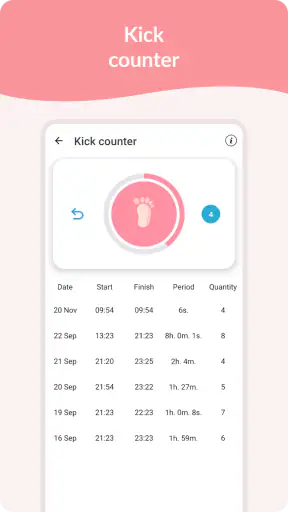
The kicker counter is potentially one of the most useful tools in the app, but it needs a careful workflow. I would use it during a time when you can sit comfortably and concentrate, rather than trying to count movement while commuting, cooking, or handling several other tasks. Reducing distractions makes the record more consistent and helps you notice whether the tool is practical for your routine.
Do not turn the counter into a source of unnecessary anxiety. Movement patterns can vary, and the app cannot interpret your personal medical situation. If something concerns you, especially a significant change that feels unusual for you, contact your healthcare professional instead of relying on an app entry to reassure you. The counter is best understood as a recording aid, not a safety guarantee.
A useful habit is to decide ahead of time when you will use it and what you want to remember afterward. You might note the context mentally, such as whether you were resting or had recently eaten, but avoid inventing your own medical rules from those observations. The app can help you organize what you notice; your clinician is the right person to explain what it means.
Making the contraction timer less stressful
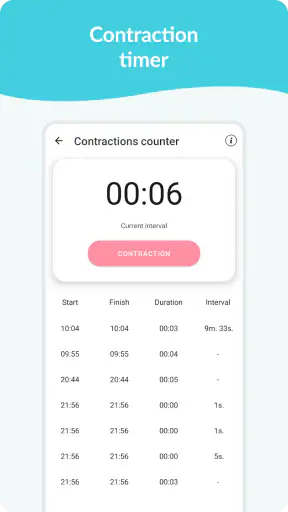
The contraction timer becomes more relevant later, yet it is worth learning the basic interaction before you need it. I would open the tool once simply to understand how an event is started and stopped. That small rehearsal is one of the most practical steps a first-time user can take, because an unfamiliar timer is harder to manage during discomfort.
When you do use it, focus on consistency rather than trying to interpret the result yourself. Timing contractions can give you information to discuss with a healthcare professional, but the app does not decide when you should seek care. Follow the instructions you have received from your maternity team, and use the recorded timing as supporting information rather than as an authority.
There is a trade-off here. Having the timer in the same app as your pregnancy progress is convenient, but a dedicated timing tool may feel better to someone who wants a large interface with fewer distractions. Pregnancy Tracker & Day by Day is a good choice if you value having several pregnancy functions together. It is less compelling if contraction timing is your only priority.
Common points of confusion
The most common misunderstanding with a tracker like this is assuming that a daily tip is personal medical advice. I would read the tips as general guidance and conversation starters. Your age, health history, pregnancy type, symptoms, and care plan all affect what advice is appropriate, so the app should sit alongside professional care rather than compete with it.
Another point of confusion is the difference between following progress and measuring health. The daily and weekly views tell you where you are in the pregnancy timeline, but they do not replace examinations, scans, laboratory work, or conversations with your provider. That distinction is easy to forget when an app presents information in a reassuring, organized way.
It is also worth remembering that not every feature needs to be used every day. The kicker counter and contraction timer are situational tools. Forcing yourself to interact with them when they are not relevant can make the app feel like another obligation. I would keep the daily view as the regular habit and treat the counters as tools you activate when their specific purpose applies.
Some users may also wonder whether the free version is enough. My approach would be to use the free experience first and judge it by three questions: can I find the current day quickly, do the tips feel useful rather than distracting, and can I reach the timing tools without confusion? If the answer is yes, optional purchases may be worth examining for your particular needs. If the answer is no, spending more is unlikely to solve the underlying mismatch.
The app is not the right choice for someone who wants a full family health dashboard, detailed clinical documentation, or a highly personalized planning system. In those cases, a broader health platform or a tool recommended by your care team may be better. I would also skip it if pregnancy information tends to increase your anxiety and you know that frequent checking makes you feel worse. A tracker should support your routine, not control it.
How it compares with familiar alternatives
The usual alternatives fall into two groups: general pregnancy information websites and broader health apps. Websites can offer more articles and a wider range of viewpoints, but they often require searching each time you have a question. This app is more convenient for a quick, stage-based check-in because the daily and weekly structure keeps the relevant context close at hand.
Broader health apps may combine pregnancy tracking with appointments, records, exercise, nutrition, or other personal data. That wider scope can be valuable if you want one place for everything. In my experience, though, more functions can also mean more menus and more setup. Pregnancy Tracker & Day by Day feels better suited to someone who wants a focused companion with a few clearly defined tools.
A dedicated kicker or contraction app may offer a more specialized experience for one task. The advantage here is convenience: you can move from progress information to a counter without changing apps. The disadvantage is that a focused specialist may be easier to operate during a stressful moment. This is the central trade-off, and it comes down to whether you prefer one compact pregnancy app or the best possible tool for each individual activity.
The developer, Timskiy, has kept the concept centered on the pregnancy timeline and its related practical tools. That focus is why I would recommend it to a first-time user who wants a gentle starting point rather than a large ecosystem. I would recommend a different option to someone who already has a trusted clinical platform and does not want another place to check or record information.
Turning the app into a useful routine
After the first successful check-in, the next step is to create a routine that remains easy during busy weeks. I would choose one regular time for the daily view, then use the weekly view when preparing questions for an appointment or when you simply want a broader sense of progress. Keeping those purposes separate prevents the app from becoming a stream of repetitive checking.
For the kicker counter, choose a setting where you can be still and undisturbed. For the contraction timer, practice the controls before late pregnancy and decide how you will communicate the timing to your care team. These are small preparations, but they turn features that might otherwise feel abstract into tools you can reach confidently when needed.
I would also keep the app in its proper place within your support system. Use the tips to prompt questions, use the timeline to stay oriented, and use the counters to organize observations. When a symptom feels urgent, unusual, or worrying, contact the appropriate healthcare service rather than waiting for the app to explain it.
Pregnancy Tracker & Day by Day is free, accessible to users rated Everyone, and designed for Android 6.0 or later. It was released on Aug 7, 2019, and the current version is 1.6.0. Those details make it a straightforward app to try on a compatible device, while the optional purchases mean you should review your own needs before buying anything.
My final view is positive but measured. I like the way the app gives a first-time user a clear path from setup to a useful daily habit, then keeps more specialized tools available for the moments when they matter. Its best quality is not the number of features, but the way the features map to different stages of pregnancy. If you want a focused tracker with daily and weekly progress, tips, movement counting, and contraction timing in one place, I think it is worth trying. If you need clinical records, deep customization, or a complete health-management system, choose something broader and let this app remain an optional companion rather than your only resource.


